Tap Live Stats for Leagues and Directors
Running a youth league means schedules, field changes, scores, standings and a steady stream of "who do we play Saturday?" questions. Tap Live Stats puts all of it in one place. Your staff keep it current from their phones, and every family sees the same live information without a single group text.
What your league gets
- Live scores from the field. Scorekeepers update the score on their phone during the game, and families watching from home see it right away.
- Standings that keep themselves. When a game is marked Final, both teams' records update automatically.
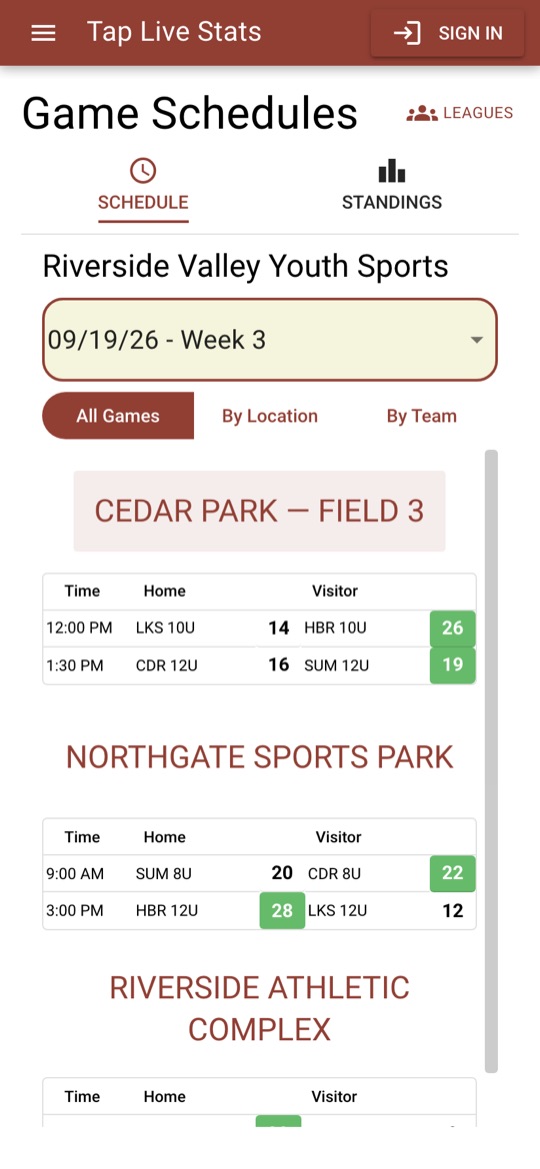
- One schedule everyone trusts. Families browse by week, by location or by team, with addresses and directions to every field.
- Direct alerts to families. Followers get game reminders and final scores on their phones, and you can send an update about a field change in seconds.
- Player stats for coaches and parents. Anyone can record stats during a game and share a box score afterwards.
- A record of every season. Past schedules, scores and standings stay available to browse after the season ends.
Two sites, one sign-in
Families use taplivestats.com and the free iPhone and Android apps to follow schedules, scores and standings. Nobody needs an account just to look.
Your staff work on manage.taplivestats.com, the league's back office for the schedule, teams, locations and staff. They sign in with the same account on both sites. It works on a laptop, tablet or phone, though most managers find a laptop easiest for building the schedule.
Who does what
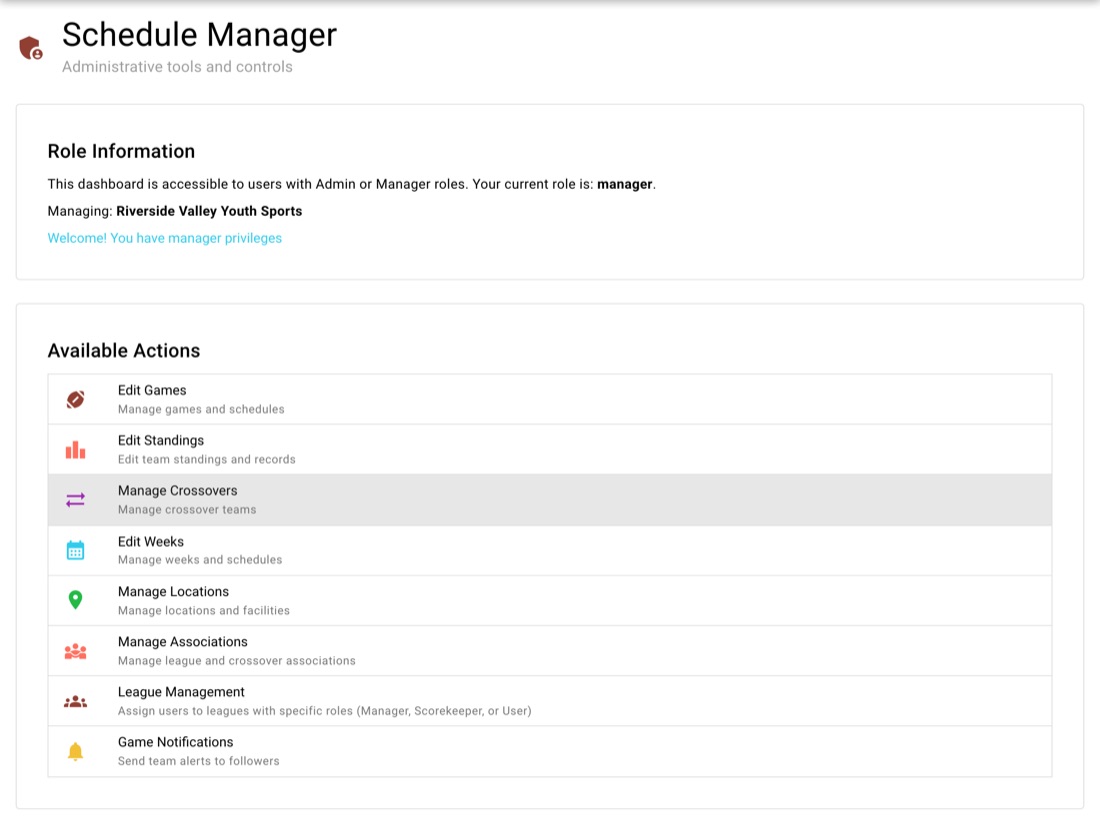
Each person gets a role in your league, so they see only the tools they need:
- Manager: runs the league. Builds the schedule, manages teams, locations and weeks, adds staff, and sends team alerts.
- Scorekeeper: enters scores and game status. Cannot change the schedule or teams, so you can hand this out to volunteers with confidence.
- Families and fans: read-only. This is what everyone gets by default.
Managers add staff from the League Management screen by searching for their account and choosing a role. Our team handles creating the league and starting each new season.
Set up your season
Setup follows a simple order, because each step fills in the choices the next one needs:
- Associations: the clubs in your league, plus any visiting clubs you play.
- Locations: your fields, courts and venues, with an address and a map link families can tap on game day.
- Weeks: every week of the season, created up front.
- Teams: your member teams, one per club per age level. These appear in your standings.
- Visiting teams: teams from other leagues that play on your schedule but don't appear in your standings.
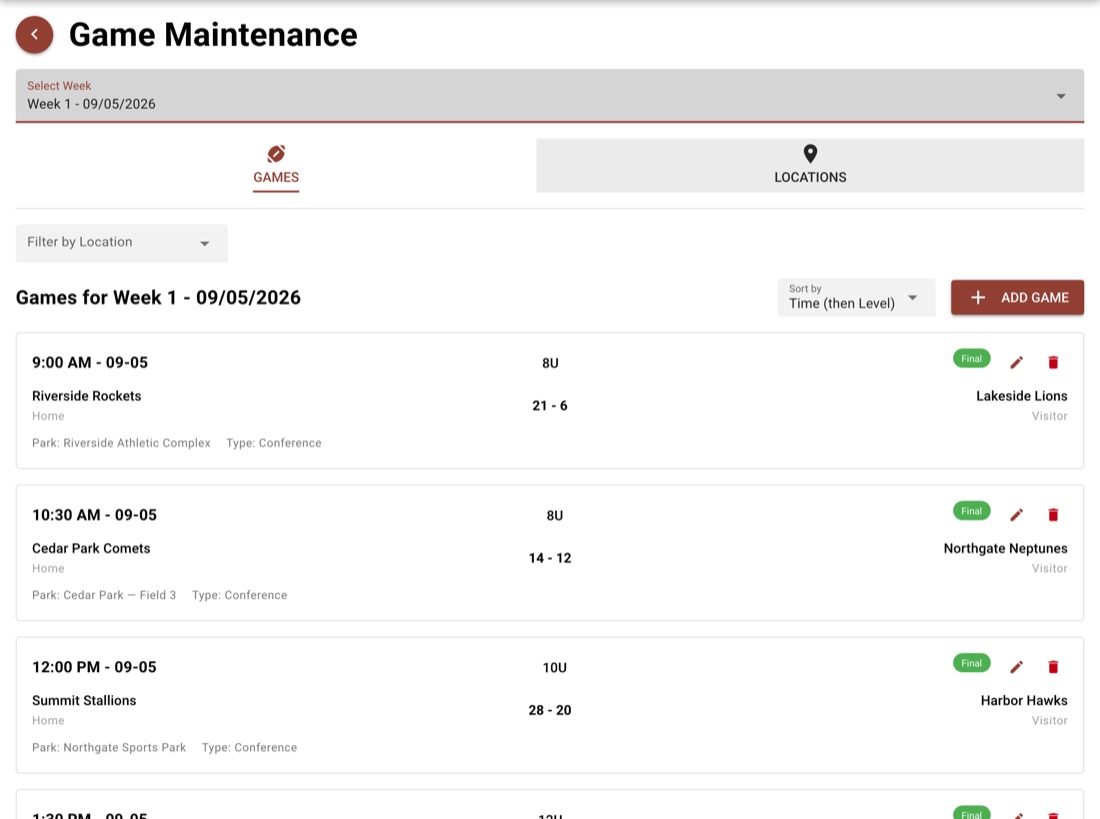
- The schedule: add each game with its week, time, location and teams.
Already mid-season? You can start with the schedule. If your teams and games already live in a spreadsheet, we can import them for you.
Game day
At the field, a scorekeeper opens the location on their phone and updates the score as the game goes on. There is nothing to install and nothing to upload afterwards.
Every update appears on the public schedule within seconds, so families who couldn't make it follow along live. When the scorekeeper marks the game Final, the standings update on their own.
Standings without the spreadsheet
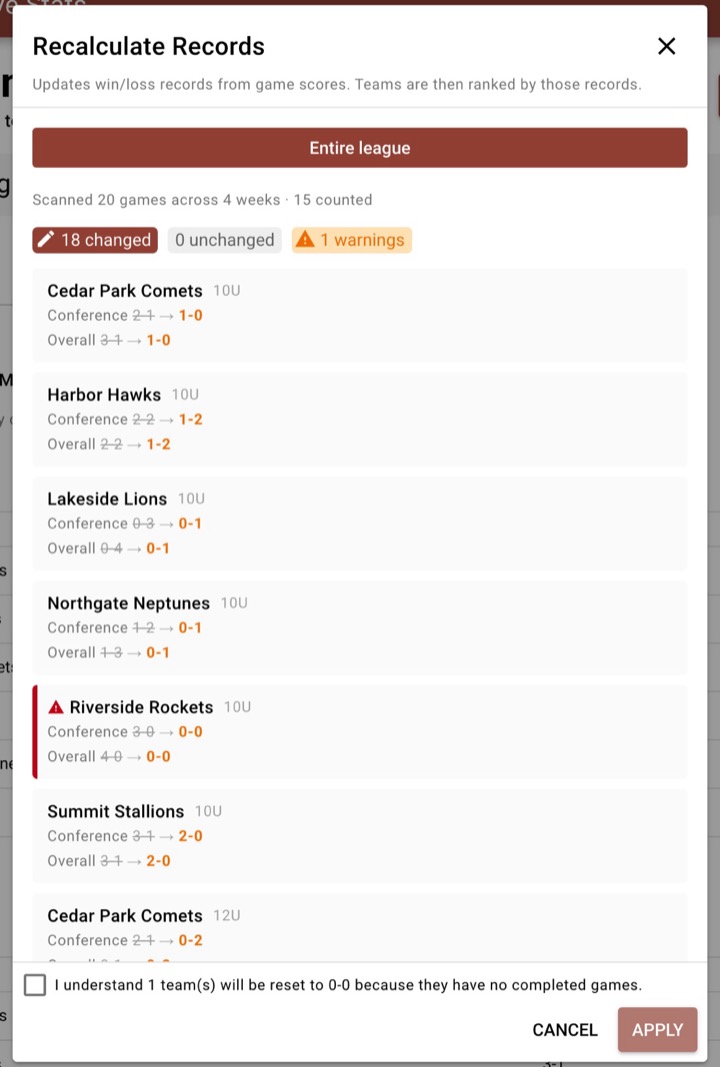
Win-loss records update automatically every time a game is saved as Final, whether you, a scorekeeper or our team saved it. Scrimmages never count, and a tie is neither a win nor a loss.
If a score was corrected or a game was entered late, Recalculate Records rebuilds the records from the actual scores for the whole league, one age level or one team. It shows you every change before anything is saved.
Standings are ranked by conference record, then head-to-head. If your league has its own tiebreakers, switch to manual order and arrange the teams yourself.
Playoff brackets
When the regular season ends, turn on Playoffs and build a bracket for each age level from a ready-made template, from a two-team final up to six teams with first-round byes, including a play-in for five. Seeds fill in from your standings, so each bracket takes a minute to set up.
You schedule playoff games the usual way. The bracket finds them, shows live scores, and moves each winner to the next round as soon as the game is marked Final. Families follow it all on a Playoffs tab next to the standings, right through to your champion.
Keep families informed
Families follow their team in the Tap Live Stats app and get a weekly reminder of upcoming games, plus the final score when each game ends. You don't have to do anything for those.
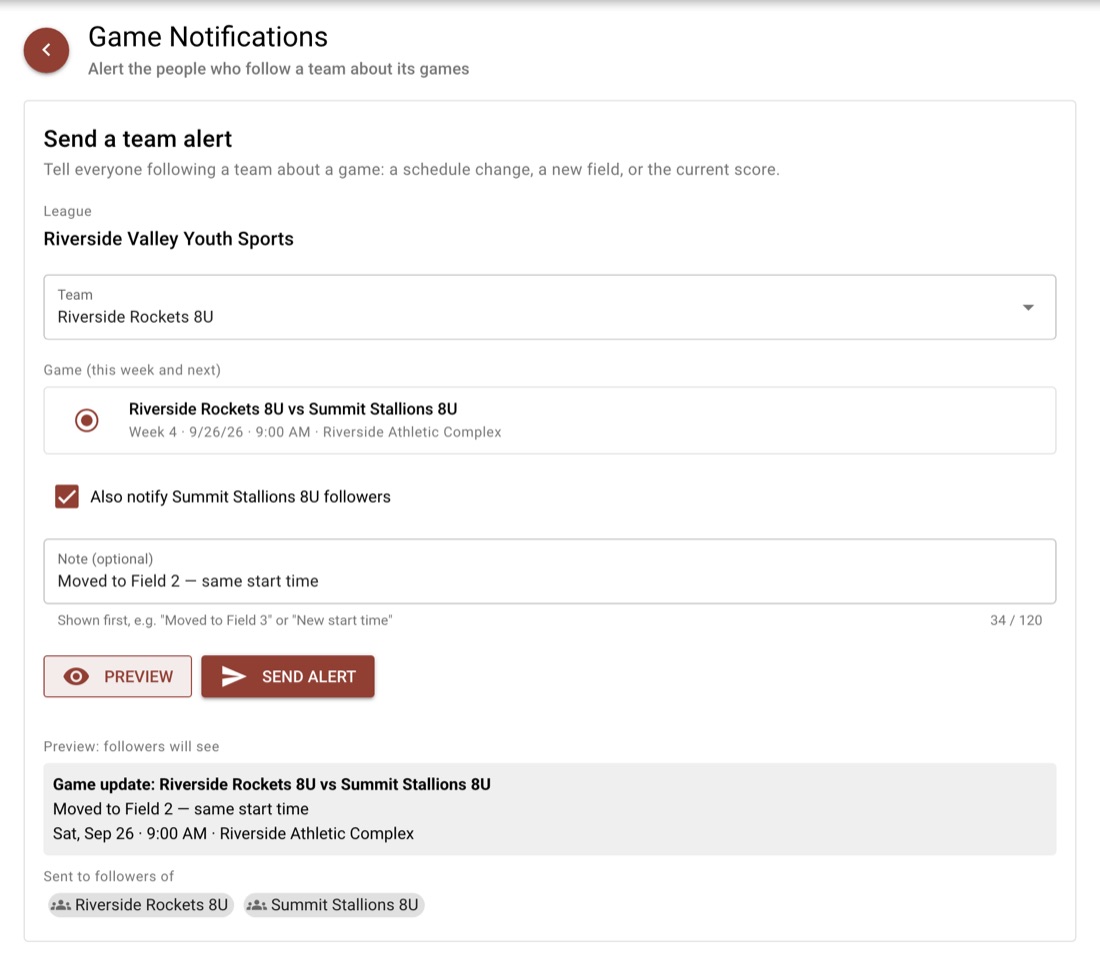
When plans change, send a team alert from Game Notifications: pick the team and the game, add a short note such as "Moved to Field 2", preview it, and send. You can notify the opponent's followers at the same time.
Built so mistakes are hard to make
Before anything is deleted, Tap Live Stats checks what depends on it. A team with games on the schedule, or a location or week still in use, can't be deleted until those games are moved or removed, and the screen tells you exactly which ones. When a team has families following it for alerts, the app lists them and asks you to type the team ID to confirm.
When the season ends
At the end of the season, your schedule, scores and standings are archived. Families can still browse them under Previous Seasons, and your next season starts clean.
Tap Live Stats also runs tournaments, with their own brackets, schedules and staff roles.