Getting Started with Tap Live Stats
Tap Live Stats keeps youth and amateur sports organized on game day. Families and fans follow live scores, schedules and standings. Coaches and parents record player stats with a few taps. Leagues run their whole season in one place. This guide walks through the parts most people use first.
Who it is for
- Families and fans: see where and when every game is played, follow scores as they happen, and check the standings.
- Coaches, parents and stat keepers: record player stats during a game and share a clean box score afterwards.
- League staff: publish the schedule, enter scores and keep standings current, all from a phone.
Follow your league's games
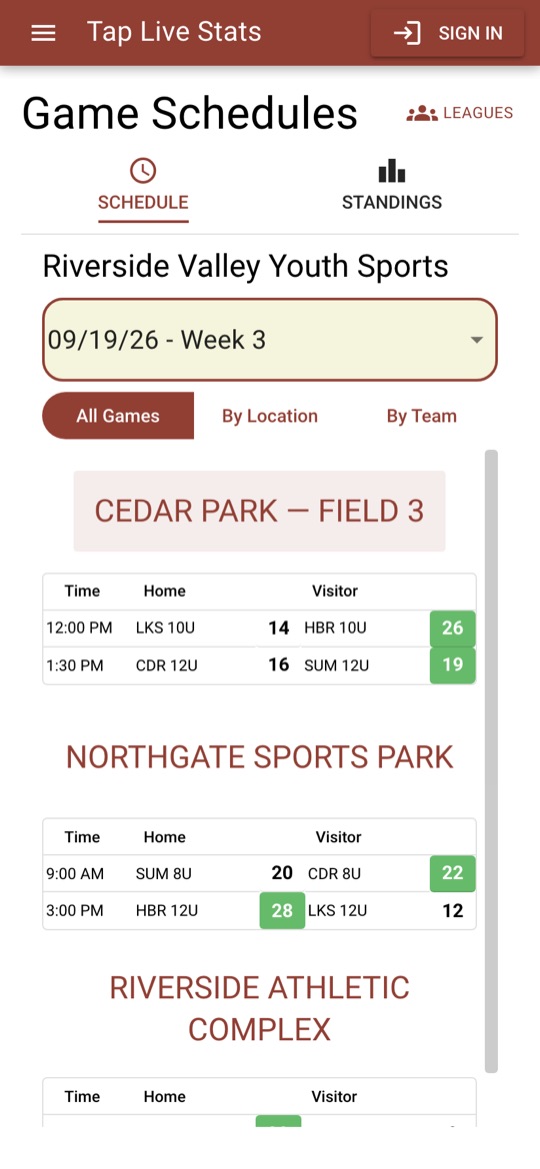
Tap Game Schedules on the home screen. The first time, you choose your league; Tap Live Stats remembers it, and you can switch at any time with the Leagues button at the top of the page.
Pick a week from the drop-down to see every game that week. Scores update live while scorekeepers enter them at the field, so there is no need to refresh. The leading or winning score is highlighted in green.
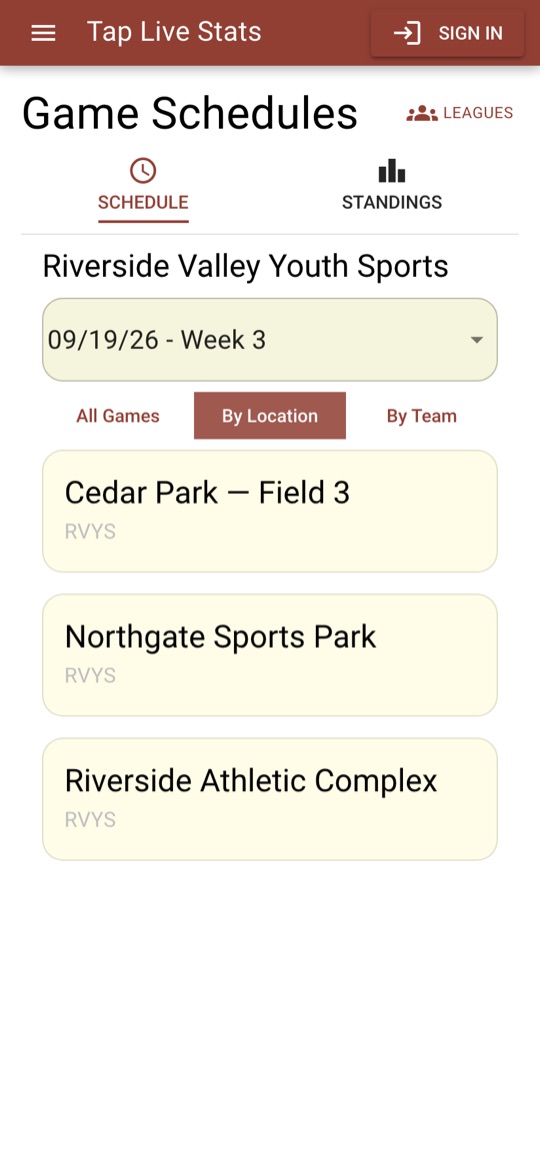
Three views help you find what you need:
- All Games lists every game of the week, grouped by location.
- By Location shows one field or park at a time, with its address and a link for directions.
- By Team lists the clubs playing that week; tap one to see just its games.
Each of these pages has its own web address, so you can bookmark your team's page or text the link to other parents.
Check standings and team schedules
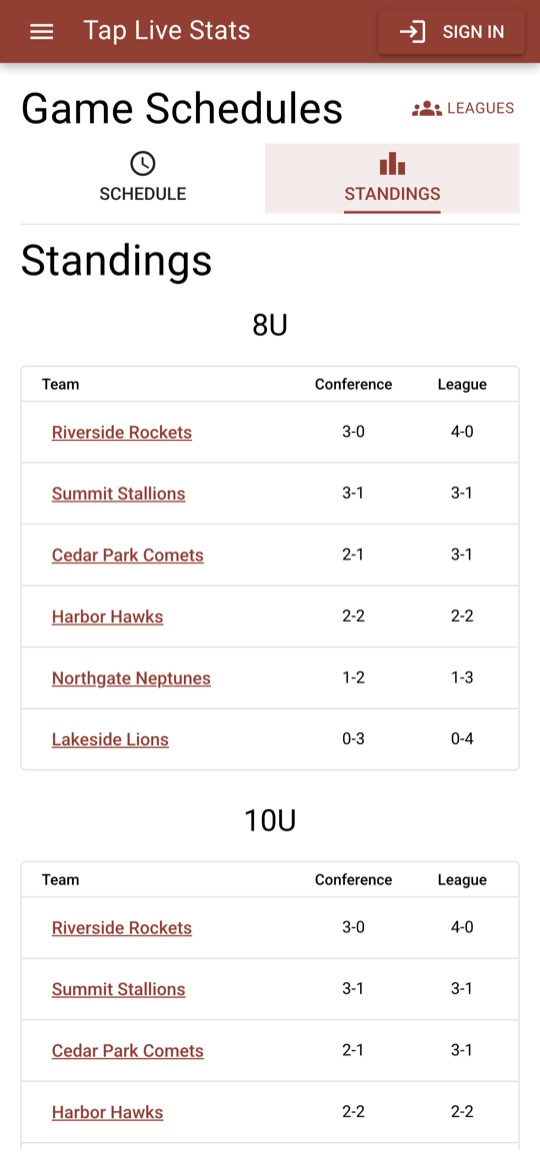
Open the Standings tab to see every team's conference and overall record, grouped by age level.
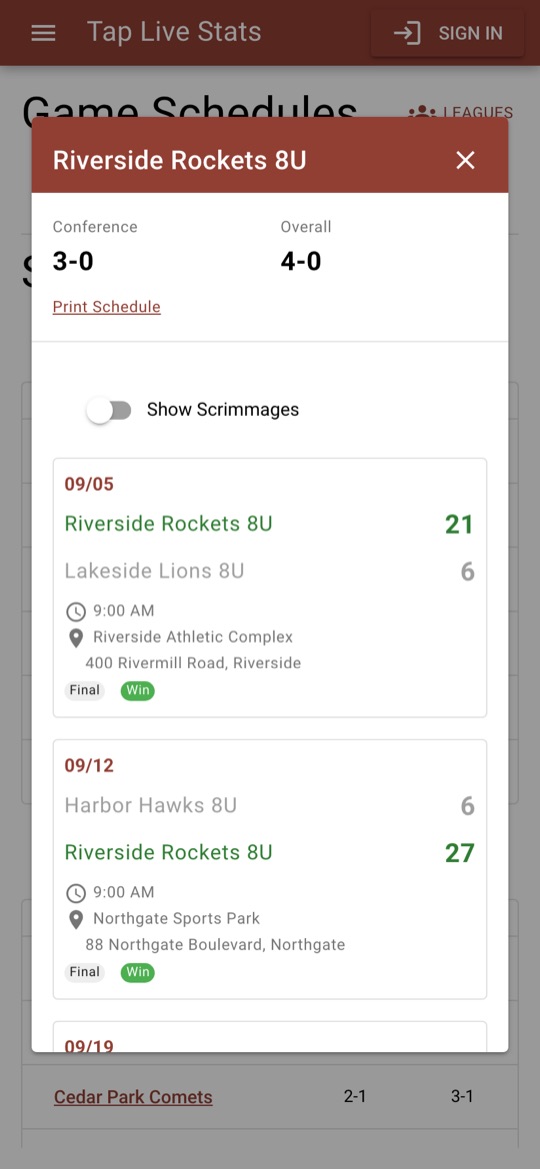
Tap a team name for its full season: every game with date, time, location, score and result. From there you can print the schedule, and turn on Show Scrimmages if your league plays them.
When your league's playoffs begin, a Playoffs tab appears next to Standings with a bracket for each age level. Scores update live, each winner moves on as soon as their game ends, and the bracket finishes with the champion.
Get alerts for your team
In the Tap Live Stats app for iPhone or Android, you can follow any team and get a notification on your phone.
- Sign in, then open Profile from the menu.
- Under Team Alerts, tap Add a team.
- Choose the sport, then the league, then the team, and allow notifications when your phone asks.
You will get a weekly reminder of your team's upcoming games, and the final score when a game ends. Follow as many teams as you like, across leagues and sports. Alerts are delivered to the phone apps only, not to web browsers.
Track player stats during a game
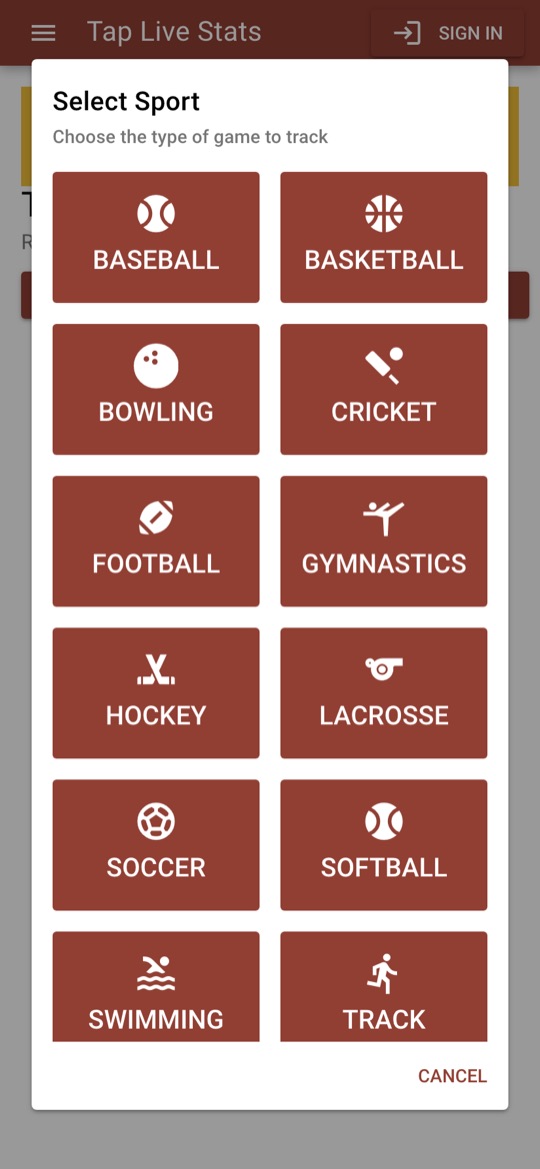
Tap Track Player Stats on the home screen, then Start New Game. Choose your sport and enter the two teams. Tap Live Stats supports 14 sports, including baseball, basketball, football, hockey, lacrosse, soccer, softball, volleyball, swimming and track.
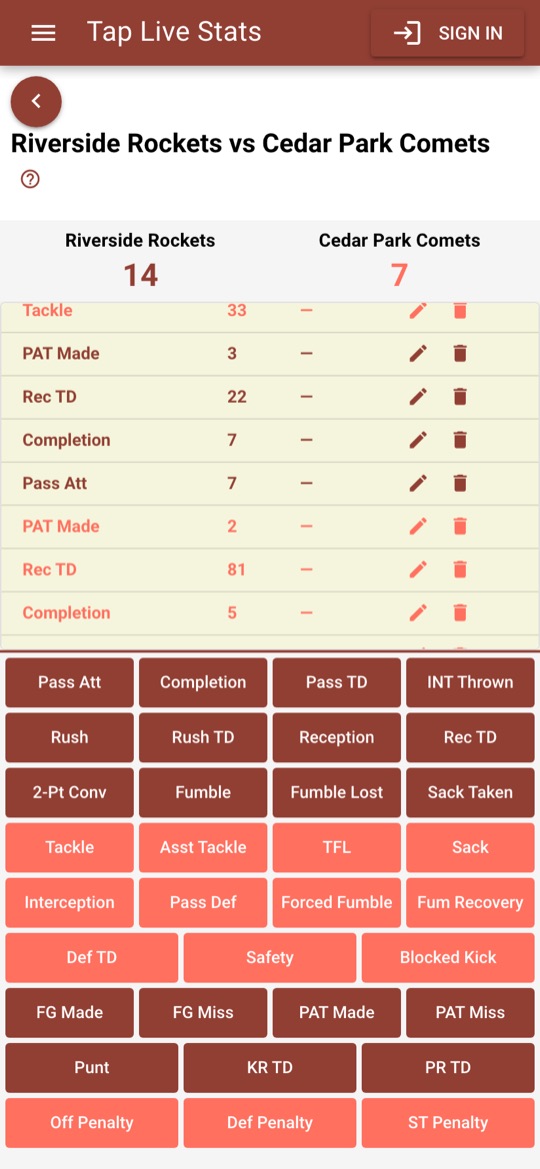
Recording a stat takes three taps:
- Tap the action that just happened, such as a rush, a completion, a tackle or a 2-pointer.
- Choose Home or Away.
- Enter the player's jersey number and tap the check mark.
The score updates automatically for scoring plays, and every entry appears in a running list where you can edit or delete it if you tapped the wrong button. The first time you open a sport, a short walkthrough shows you around; tap the question mark to see it again.
Stats are saved on your phone as you go, so you can keep recording even when the field has no signal.
Share the box score
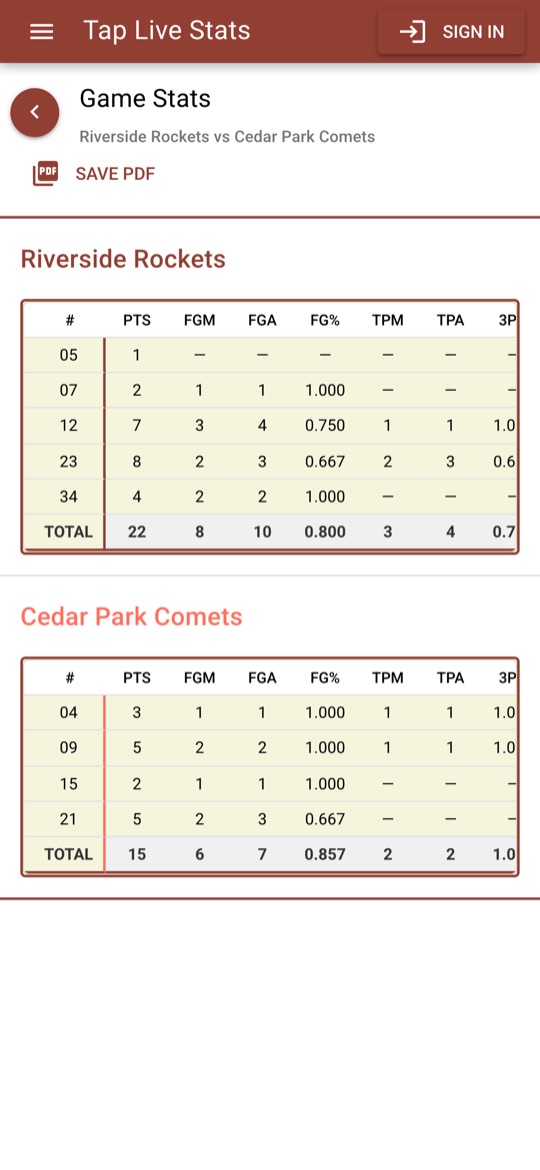
When the game is over, open View Stats for a box score of every player on both teams, with totals and percentages calculated for you. Tap Save PDF to keep a copy or send it to your team.
Accounts and plans
You can start without an account. Signing in with Google (or Apple, on iPhone and the web) backs up your games and unlocks more.
- No account: track one active game at a time, stored only on this device.
- Free account: up to three active games, backed up to your account so they are safe if you change phones.
- Premium: unlimited active games, your full archive of past games, and season-long stat totals.
Signed-in users can also Ask JD, an assistant on the Game Schedules page that answers questions about your league, such as who a team plays this week.
More to explore
- Previous Seasons, on the home screen, lets you look back at past schedules, scores and standings.
- Tournaments shows brackets, schedules and results for tournaments run on Tap Live Stats.
- Run a league? See how Tap Live Stats works for league directors and staff.
Get the app
Tap Live Stats works in any web browser. The free iPhone and Android apps add team alerts and keep everything one tap from your home screen.
Live scores and stats, one tap from your home screen.



Need help?
Visit the Support page or email us. We read every message. Go to Support