How to Keep Lacrosse Stats with Tap Live Stats
Lacrosse is a game of possessions: faceoffs, ground balls, clears and turnovers decide who gets the ball, and goals and saves decide what they do with it. Tap Live Stats lets you keep a full box score for both teams on your phone, one tap per play, and keeps the score as goals go in. This guide covers recording each play, the score, and reading the box score column by column.
Before the game
Open Tap Live Stats, tap Track Player Stats, then Start New Game and choose Lacrosse. Enter the home and visiting team names, check the date and time, and tap OK. Your game appears in the list; tap it to start recording.
Have both rosters' jersey numbers handy, including the goalies and your faceoff specialists.
What you can record
The buttons are grouped by what they do:
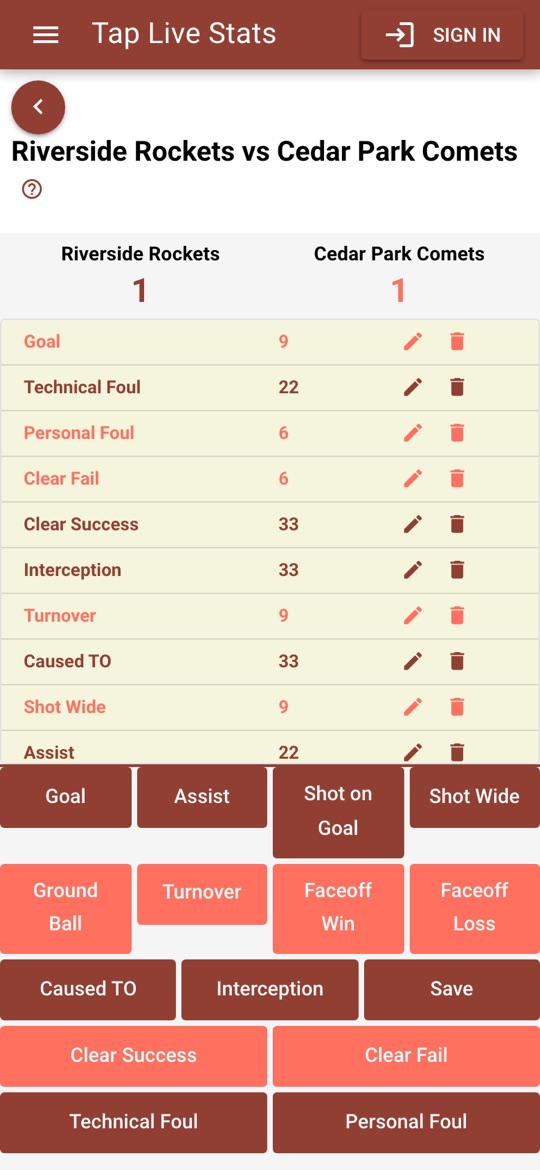
- Scoring: Goal, Assist, Shot on Goal and Shot Wide.
- Possession: Ground Ball, Turnover, Faceoff Win and Faceoff Loss.
- Defense: Caused TO (caused turnover), Interception and Save, the goalie's button.
- Clears: Clear Success and Clear Fail.
- Fouls: Technical Foul and Personal Foul.
Recording a play
Every play takes the same three steps:
- Tap the button for what just happened, such as Goal.
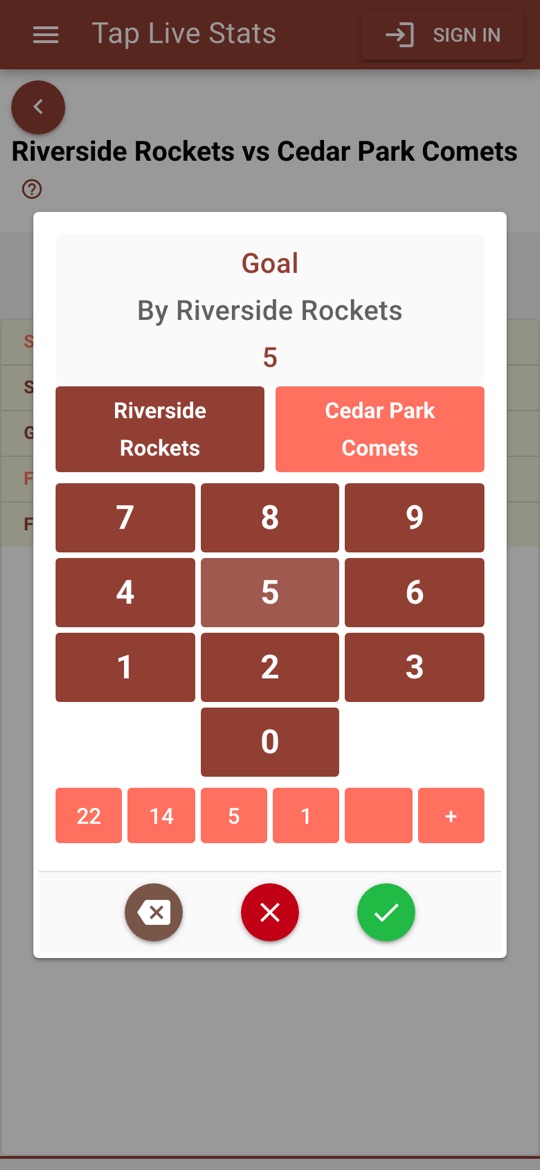
- On the number pad, check the team. The pad names the team at the top; tap the other team's button to switch.
- Tap the player's jersey number and tap the green check mark.
The red ✗ closes the pad without saving, and the backspace key fixes a mistyped digit. Recorded plays appear in a list at the top of the screen, newest first.
Quick-select jerseys
Below the keypad are five quick-select slots. The first five jersey numbers you record fill them, and after that one tap on a slot enters that number. To put the number you have typed into a slot instead, tap the slot before you confirm. Loading your regulars into the slots early makes a fast game much easier to keep up with.
Keeping the score
Goal adds one to the scoring team's score automatically, and deleting a goal takes it back off. No other button changes the score.
If the score on the screen drifts from the scoreboard, tap the team's score and type the correct number.
Recording common plays
Each button records one player's part of a play, so a play that involves two players takes two entries. Recording them the way a statistician would keeps both teams' box scores honest:
- An assisted goal: Goal for the scorer, then Assist for the passer. A goal already counts as a shot on goal, so never add Shot on Goal to it.
- A saved shot: Shot on Goal for the shooter, then Save for the goalie.
- A faceoff: Faceoff Win for the player who won it, Faceoff Loss for the player who lost it, and Ground Ball for whoever picks up the ball.
- A caused turnover: Caused TO for the defender who forced it, then Turnover for the player who lost the ball.
- A clear: Clear Success or Clear Fail for the player carrying or passing the ball over the line.
Fixing mistakes
Wrong player? Tap the pencil next to the play and enter the right jersey number. Wrong button or wrong team? Tap the trash can to remove the play and record it again; deleting a goal takes it off the score. The box score updates to match.
If you are signed in, deleting a play also deletes its backed-up copy, so it does not come back, and edits are backed up the next time your game is.
Reading the box score
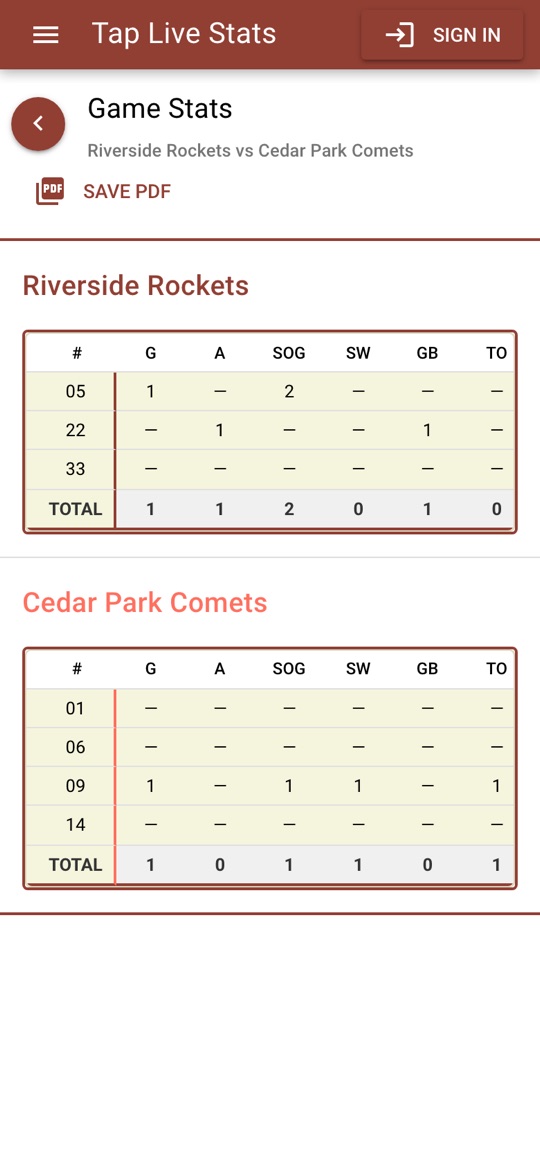
Open View Stats on the game for a box score of every player on both teams, sorted by jersey number, with a TOTAL row for each team. Here is what each column means and how it is calculated:
- G, A, SOG, SW: goals, assists, shots on goal (goals included) and shots wide.
- GB, TO, FW, FL: ground balls, turnovers, faceoffs won and faceoffs lost.
- CTO, INT, SV: caused turnovers, interceptions and goalie saves.
- CS, CF: successful and failed clears.
- TF, PF: technical fouls and personal fouls.
A dash means the player had none of that stat, or no attempts for a percentage.
Tips for accurate stats
- Record every faceoff and ground ball. Possession stats are what lacrosse coaches look at first.
- Watch the goalies. Saves are the easiest stat to forget.
- Check the score against the scoreboard at each quarter break.
- Not sure what a screen does? Tap the ? at the top of the recording screen for a short walkthrough.